
Free ATS Resume Template (2026) – Download a Professional CV That Passes ATS
Published: April 4, 2026
Category: Career Advice | Job Applications | South Africa
Free ATS Resume Template – Download & Step-by-Step Guide
Are you searching for a free ATS resume template that will help you get noticed by employers in South Africa?
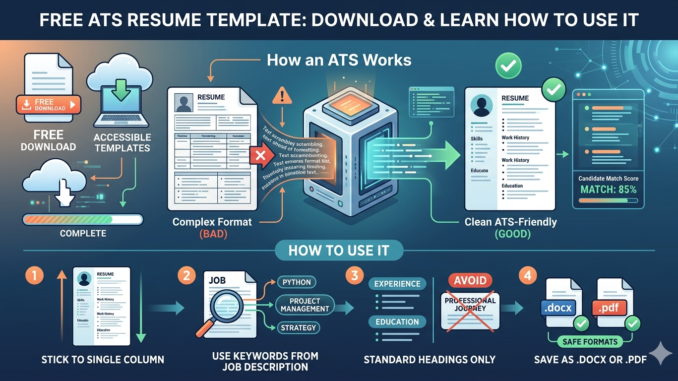
In 2026, most companies use Applicant Tracking Systems (ATS) to screen job applications. If your CV is not formatted correctly, it may be rejected before a recruiter even reads it.
Using an ATS-friendly CV template ensures your resume is properly scanned, ranked, and shortlisted.
What You Will Learn
In this guide, you will discover:
- What an ATS resume template is
- Why ATS-friendly CVs are important
- How to complete your resume step-by-step
- Where to download a free ATS resume template
Also Apply For Learnership – Business Administrator in Pretoria | Tsebo Facilities Solutions
👉 Download Free ATS Resume Template (Word)
Click below to download your template:
Download ATS Resume Template (Editable Word Format)
What Is an ATS Resume Template?
An ATS resume template is a professionally structured CV designed to be easily read by Applicant Tracking Systems used by employers.
These systems scan your resume for:
- Relevant keywords
- Job titles
- Skills and competencies
- Education qualifications
- Work experience
If your CV contains images, tables, columns, or unusual fonts, ATS software may not read it correctly.
This is why a simple, clean CV format is essential.
Why You Should Use an ATS-Friendly CV Template
1. Improves Your Chances of Getting Shortlisted
ATS systems rank resumes based on relevance. A properly formatted CV increases your chances of passing the first screening.
2. Professional and Clean Layout
Recruiters prefer resumes that are easy to read and well-organized.
3. Easy to Edit and Customize
You can quickly update your information and tailor your CV for each job application.
4. Suitable for All Job Seekers
This template works for:
- Entry-level candidates
- Graduates
- General workers
- Admin and office jobs
- Retail and sales positions
- IT and technical roles
How to Use the ATS Resume Template (Step-by-Step)
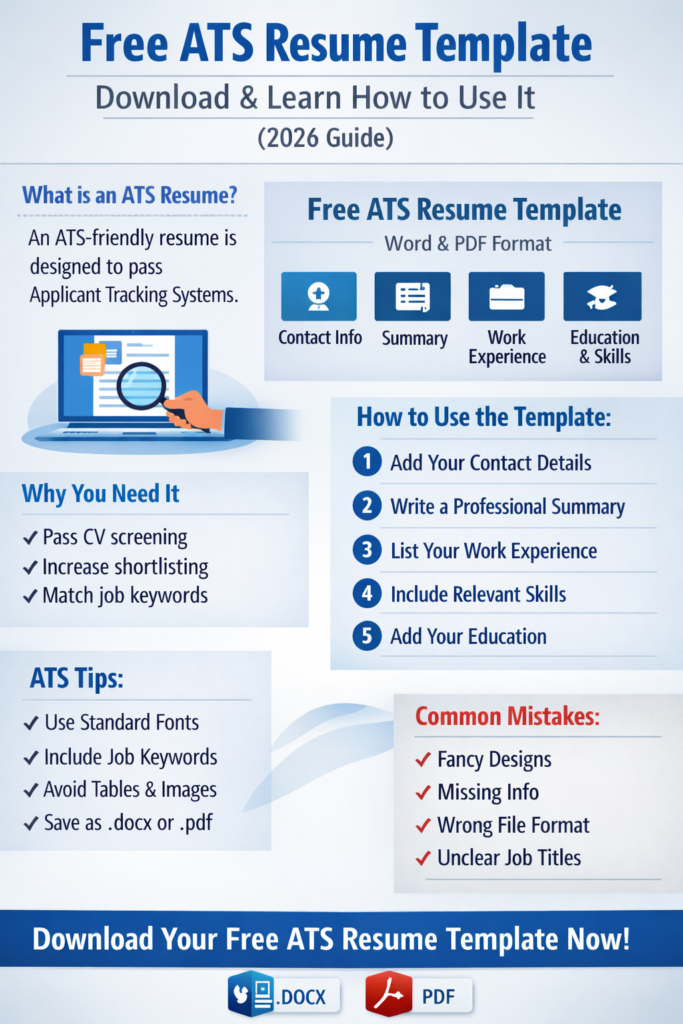
1. Add Your Personal Details
Include the following:
- Full Name
- Location (City, Province, Country)
- Phone Number
- Professional Email Address
- LinkedIn Profile (optional)
- Driver’s License (optional)
Example:
John Smith
Johannesburg, Gauteng, South Africa
+27 82 123 4567
johnsmith@email.com
2. Write a Strong Professional Summary
Your summary should highlight your experience, skills, and career goals.
Example:
“Motivated customer service professional with over three years of experience in retail and client support. Skilled in communication, problem-solving, and improving customer satisfaction. Seeking an opportunity to contribute to a growing company.”
SEO Tip: Use keywords from the job advertisement.
3. List Your Core Skills
Include relevant skills for the job.
Examples:
- Customer Service
- Communication Skills
- Microsoft Office
- Teamwork
- Sales
- Problem Solving
4. Add Work Experience
Start with your most recent job.
Format:
Job Title
Company Name – Location
Employment Dates
Example:
Customer Service Assistant
ABC Retail – Johannesburg
January 2022 – Present
- Assisted customers with queries and complaints
- Processed transactions and returns
- Maintained high customer satisfaction
5. Include Your Education
Example:
Diploma in Business Management
University of Johannesburg
2023
If still studying, write: Currently Studying
6. Add Certifications
Certifications help strengthen your CV.
Examples:
- Google Data Analytics Certificate – 2023
- Customer Service Training – 2022
Also Apply For SDC Lekone Learnership 2026: R4,900 Monthly Stipend for Grade 11 and Above
7. Include Technical Skills
Examples:
- Microsoft Excel, Word, PowerPoint
- SAP, Salesforce
8. Add References
End your CV with:
“References available upon request.”
Best Tips to Make Your Resume ATS-Friendly
- Customize your CV for each job application
- Use keywords from the job description
- Keep your CV between 1–2 pages
- Use bullet points for clarity
- Avoid images, tables, and graphics
Download Free ATS Resume Templates
Access your free templates below:
- ATS Resume Template (Word Format)
Download the ATS Resume Template
- ATS Resume Template (No Work Experience)
ATS Friendly Resume – No work experience
Download, edit, and start applying for jobs immediately.
Final Thoughts
Using an ATS-friendly resume template can significantly improve your chances of getting shortlisted for jobs.
A well-structured CV will:
- Pass ATS screening
- Attract recruiters
- Increase interview opportunities
Start building your professional resume today and take the next step in your career.





Leave a Reply